- It is very easy to setup Google Analytics in WordPress with Premium Plan once you realise the steps and below steps show you the fastest way to set it up.
- Therefore, you are recommended to upgrade your WordPress to Premium Plan, which cost about USD$11/month.
- Create and setup your Google Analytics account. It is free with basics features.
- Now, you do not need the tracking ID and code if you are familiar with Google Analytics with a next generation of Google Analytics called Google Analytics 4.
- In place of the missing tracking ID, you can see a new concept called Data Stream and measurement ID (G-XXXXXXX) once you setup the Google Analytics property.
- Create both a Google Analytics 4 property and a Universal Analytics property.
- Choose Google Analytics 4 property, go to Data Stream and view measurement ID.
- Copy the measurement ID to be used for WordPress later.
- In WordPress web version,
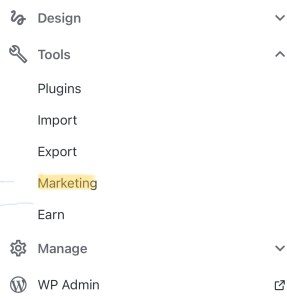
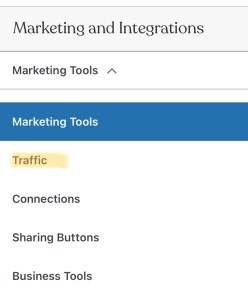
- Go to Tools > Marketing > Traffic > Google Analytics.
- You will find a text box called measurement ID.
- Paste your measurement ID there.
- Viola! Integration of Google Analytics to WordPress is now completed.
- Wait for a day for the data to be send to your Google Analytics account.


 Danny Kwok
Leave a comment