• SEO (Search Engine Optimisation) is a buzz word and trend in the past. It is still very relevant now and the approach to SEO is now ubiquitous. Here are some simple tweaks and know-how basics SEO for WordPress.
    1. WordPress and major content providers are SEO friendly. You do not really need setup anything to “enable” SEO.
    2. SEO is now language independent and Search Engine can link the same context to different spelling like Optimization vs Optimisation.
    3. Do try not to slang too much in your language, Search Engine is not really there hor (slang)!
    4. Choose device independent themes that are user friendly and mobile friendly. Usually, these themes are SEO friendly to allow Search Crawlers, Bots or Spiders in.
    5. If privacy is your concern, it it best to set entire site to private or else Search Engine can easily “crawl” any page.
    6. Write for interest or be relevant. SEO is just a technique to drive organic traffic. It is not intended to make users return to your website.
    7. Modern Search Engine can now detect fraudulent links, contents, fake keywords and even scams sites. If you are using SEO for monetary purpose, this may not be a good move.
    8. For advanced users who wants the good old webmaster SEO control, you can still get your WordPress sites verified easily with Google Search Console or Bing, Pinterest and Yandex.
    9. If all these tips are too overwhelming, you may look out for some step by step book like SEO 2020 Learn Search Engine Optimization With Smart Internet Marketing Strategies: Learn SEO with smart internet marketing strategies.

    SEO is no longer a technical domain that only a few can master. The growth of SEO shows the value that a domain can evolve to be user friendly and ubiquitous. I will expect machine learning domain to be in similar direction to let us focus on the essentials more than figuring out how to implement it.

  • WordPress can be a quick pilot platform to try out various tools and technologies before embarking on a startup business or to fund your hobbies. Below is a simple list of what pilot testing you can do in your WordPress website.

    1. Content creation
    2. Self branding with personal Domain name.
    3. Setup Google Analytics to analyse web traffic
    4. Build your website for SEO (Search Engine Optimisation)
    5. Using WordAds to monetize your website.
    6. Setting up Amazon Affiliate Program
    7. Creation of personal website with WordPress Premium Plan
    8. Connecting your website to social media.
    9. Install plugins (Only with business plan and above).
  • It was 2009 when I had published my first paper Multi-Dimensionality of Overall Consumer Satisfaction – Socio-Technical Perspective. Fast forward more than a decade later, I feel it is a good time to do a quick recap to see if the gaps I identifies are still relevant for 2021 and beyond.

    ✅ Multi-channel Environment

    Looking at current trend, Multi-channel environment have been the correct identified settings in the research direction. However, Multi-channel is now superseded by Omnichannel. This shows that the divide between online and offline contexts are now almost negligible and encompasses various physical location, virtual world, formats and applications. You could check out OmniChannel Marketing: The Roadmap to Create and Implement Omnichannel Strategy For Your Business for more information.

    ✅ Overall Consumer Satisfaction

    A decade ago, the measurement of satisfaction was often done with satisfaction survey that was laborious and time consuming. With so many satisfaction types identified in the conceptual framework, it was nearly impossible to collect all these data. With the advancement of technology in data analytics, it is now easier to collect data to measure these satisfaction variables. The conceptual framework is more relevant and be measured in the real world.

    Recap

    Overall, I am happy to see that gap of multi-channel have been superseded by omnichannel and measurement of overall consumer satisfaction is made possible with data analytics. However, more can be done to made easier for users to setup on how we can improve overall consumer satisfaction across omnichannel. One such method is to use machine learning to compute the satisfaction index based on the identified satisfaction variables and suggest improvement recommendations.

  • The thought of joining Amazon Affiliate Program never really crossed my mind until I read that it is part of the recommended popular affiliate program to monetize WordPress beside using WordAds. In short, I am curious to give it a go to see how it will work out in this blog.

    Amazon Affiliate Program Singapore
    1. Go to Amazon Affiliate Program. Remember to choose the right country. In my case, that will be in Amazon Affiliate Program Singapore.
    2. Sign up using social media or create your own account. For instance, you could use Gmail.
    3. Update your blog URL and details.
    4. Update your bank information for payment purpose.
    5. Update your tax details as required for your country.
    6. Once done, search for the product and “Get Link”.
    7. You can copy the Amazon URL and paste it easily into your blog links.

    To my surprise, all the registration and updates take less than an hour. It is a seamless process and very easy to do. If you want more advanced information, you can check out some of these books to level up your Amazon Affiliate Program

    Overall, it was a no brainer to activate Amazon Affiliate Program. So, I highlight recommend you to give it a test drive. I will be checking back in half a year later to see how well the affiliate program fare for me. Stay tuned!

  • Recently, I had an interesting conversation with my son regarding his exploration into computer. He happily shared that his friend told him how they could fix the computers when their PowerPoint freeze the screen.

    This was what he narrated.
    1. PowerPoint slides freeze.
    2. Right click.
    3. Task Manager
    4. Click any applications.
    5. Desktop is shown and they could access Windows.

    So, I shared the adult way
    1. Windows logo key + D

    🤔🤔🤔

    Son response

    And the Mac Way
    1. Mission Control 4 Fingers Swipe Up.

    🙄🙄🙄

    Son response

    Obviously, my kid was not impressed compared to what he had shared to me. From this incident, we can perceived how we are expert with complex steps while the present single combi button or single mouse gesture is nothing short of a noob!

    Should we continue to simplify technology in reaching out to “noobs” or be guided by limited expert with complicated steps?

  • Book Review: Why We Buy: The Science of Shopping

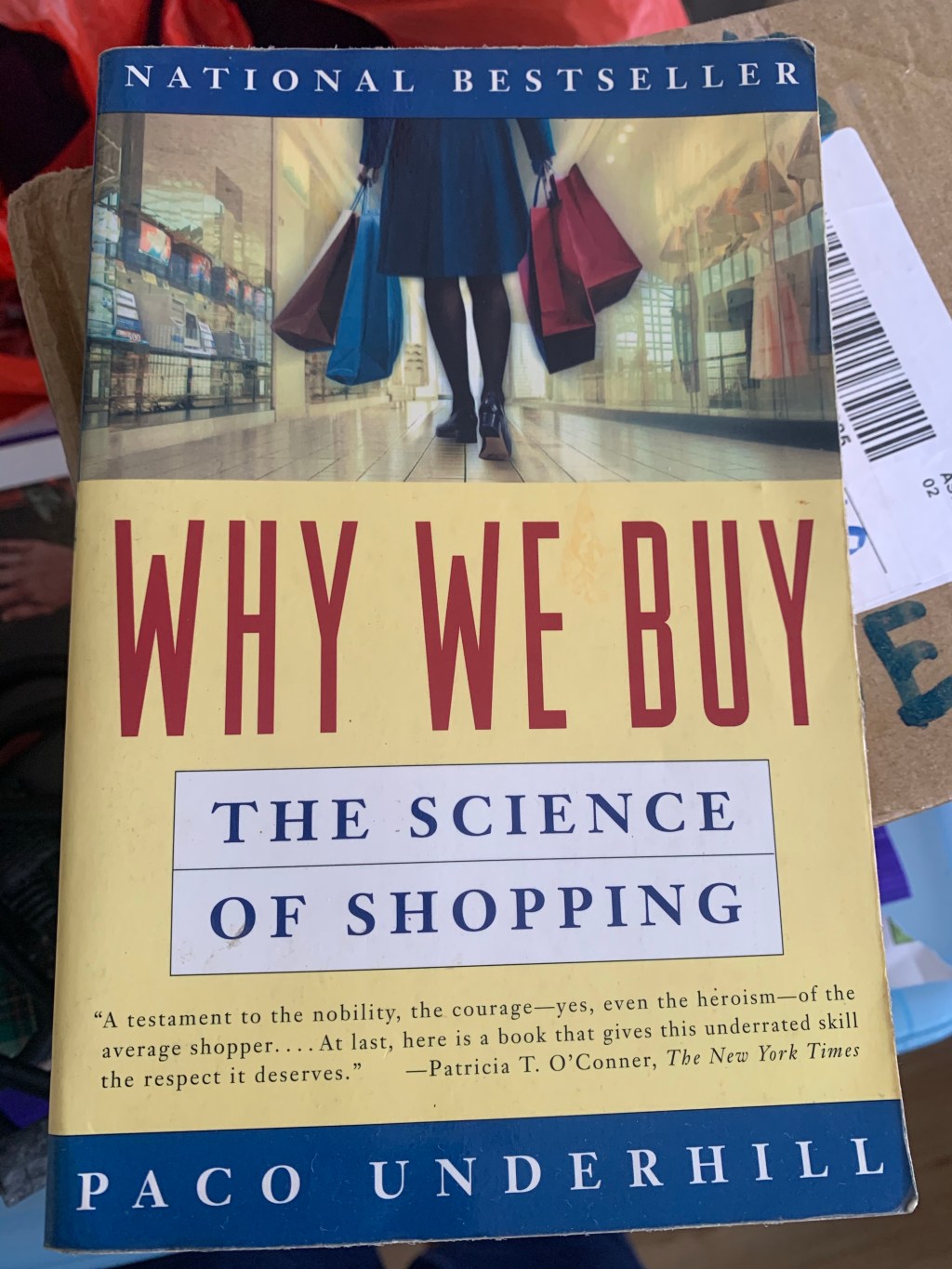
    Why We Buy: The Science of Shopping by Paco Underhill is one of the my earliest book I have bought on shopping and consumer behaviors. I also consider this one of the best books I have read that set my direction towards the understanding of human and system behaviour.

    Why We Buy: The Science of Shopping
    1. This book introduces you into a scientific view on psychology of shopping known as the science of shopping.
    2. Physically, the softcover book is light and easy to carry. It is also a light hearted read with layman terms and very little of academic flavour.
    3. The consumer behaviour research in this book on brick and mortar shopping gives an intriguing history and lays the foundation for online shopping and the emergence of data analytics.
    4. Consumers exhibit consistent behavioural patterns in nature and psychological understanding of human mechanics are key enablers to convert consumers to buyers.
    5. Shopping is demographically different and one size never fit all.
    6. Lastly, the dynamics of shopping emphasis the importance of human sensory behaviour in shopping. It lightly touch on the challenge of cyberspace without these sensory.

    Overall, this is a good introductory book that opens my eyes to the psychological aspects of consumers beyond technologies. While understanding of users requirements and technology remains important, we must always remember that humans are never alike among the interaction of physical and cyberspace. A successful shopping experience requires a consistent holistic platform or shops that can adapt to consumers needs and happiness. As a result, this book influences my interest and research in consumer satisfaction.

    There is also an updated version for the Internet called Why We Buy: The Science of Shopping–Updated and Revised for the Internet, the Global Consumer, and Beyond. I will be curious to have a look at what “changes” but that would be my future book review.

  • WordPress: Tools > Earn
    1. A plus point of WordPress Premium plan is the easy setup of WordAds from WordPress menu to monetize your website and blog content.
    2. Do take note that menu Earn cannot be view from mobile application of WordPress.
    3. In WordPress web version, Go to Tools > Earn.
    4. There are a few earning options. One of the easy ones is WordAds.
    5. You can enable WordAds at “View Ads Dashboard”.
    6. Fill in the mandatory settings and the ads are automatically shown in your web version.
    7. For other Ads options like Google AdSense, you do need to upgrade to WordPress Business and eCommerce Plans.
  • To create a free logo, I searched, previewed and tested below “free logo makers”.

    Overall verdict, it is always free to create but not free for display or usage. If you really want a free logo, you can go straight for Canva and skip the rest of “free logo makers”. If you want a really professional logo, do pay for it and get the vector format.

    Canva (Best)

    👍Free logo with no watermark
    👍Able to download in selected format e.g png.
    👎You will need to pay for vector format.

    Wix Logo Maker

    💰Not free
    👎Required your email for login and registration before logo creation.
    👎Requested you for paid plan after logo creation.

    Logster Logo Maker

    👍Easy to create logo with no request of email.
    👎Contains watermark after you created your logo.
    💰You will need to pay to get the watermark removed.

    Logo.bot

    💰Not free
    👎Request your email to get logo after logo creation.
    👎Email default you to subscription, remember to unsubscribe
    👎Email also requested you with a paid plan to get the logo.

    Freelogodesign

    👍Easy to create logo with no request of email similar to Logster.
    👎Contains watermark after you created your logo.
    💰You will need to pay to get the watermark removed.

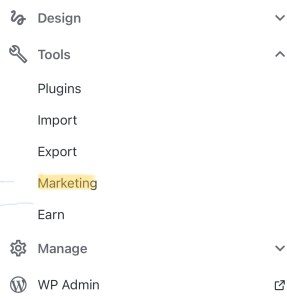
  • WordPress: Tools > Marketing
    1. It is very easy to setup Google Analytics in WordPress with Premium Plan once you realise the steps and below steps show you the fastest way to set it up.
    2. Therefore, you are recommended to upgrade your WordPress to Premium Plan, which cost about USD$11/month.
    3. Create and setup your Google Analytics account. It is free with basics features.
    4. Now, you do not need the tracking ID and code if you are familiar with Google Analytics with a next generation of Google Analytics called Google Analytics 4.
    5. In place of the missing tracking ID, you can see a new concept called Data Stream and measurement ID (G-XXXXXXX) once you setup the Google Analytics property.
    6. Create both a Google Analytics 4 property and a Universal Analytics property.
    7. Choose Google Analytics 4 property, go to Data Stream and view measurement ID.
    8. Copy the measurement ID to be used for WordPress later.
    9. In WordPress web version,
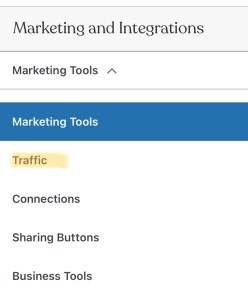
      • Go to Tools > Marketing > Traffic > Google Analytics.
    10. You will find a text box called measurement ID.
    11. Paste your measurement ID there.
    12. Viola! Integration of Google Analytics to WordPress is now completed.
    13. Wait for a day for the data to be send to your Google Analytics account.
    WordPress: Marketing > Traffic
    WordPress: Traffic > Google Analytics Measurement ID
    1. Create your site and select a WordPress domain name e.g. dannykwokcy1@wordpress.com
    2. Select a theme.
    3. Upgrade to a WordPress paid plan like Personal or Premium Plan if you want to link your personal domain name to your WordPress site.
    4. Update your site title and tagline.
    5. Update About yourself.
    6. Update your Home page.
    7. Create an email that use your custom domain and automatically forward to your email account e.g. contact at dannykwokcy dot com.
    8. Link your social media to your contact page.
    9. Decide on your contents focus and start writing!
    10. If you are still overwhelmed, you can check out the traditional book with a beginner guide to WordPress.